Know which volunteer has which mic, and when it is due for service
Sign equipment out to volunteers, track it across ministries, and see what needs servicing — in one Excel file with a dashboard on top. $149 once, instead of $34 a month forever.
One-time purchase · free updates for life · works completely offline
A year of the software costs more than the tracker. Five years costs twenty-five times more.
The software built for this is sold by subscription. The cheapest serious option starts around $34 a month — about $408 a year, every year — and the ones aimed at production teams run several times that. This is the third option: a spreadsheet you already know how to open, with the dashboard and reporting built properly on top, for $149 once. The cheapest subscription costs more than this in five months, and then keeps costing it.
| Subscription apps | Pen and paper | This tracker | |
|---|---|---|---|
| Cost | From ~$34/mo — $408 a year, every year | Free | $149 once, then nothing |
| Cost over 5 years | $2,040 and counting | Free | $149 |
| Setup | Create an account | None | Open a file |
| Who has what | Yes | If someone wrote it down | Yes, with a log |
| Works offline | No | Yes | Yes, completely |
| If you stop paying | You lose access | — | You keep everything |
Everything you would otherwise build yourself, already built
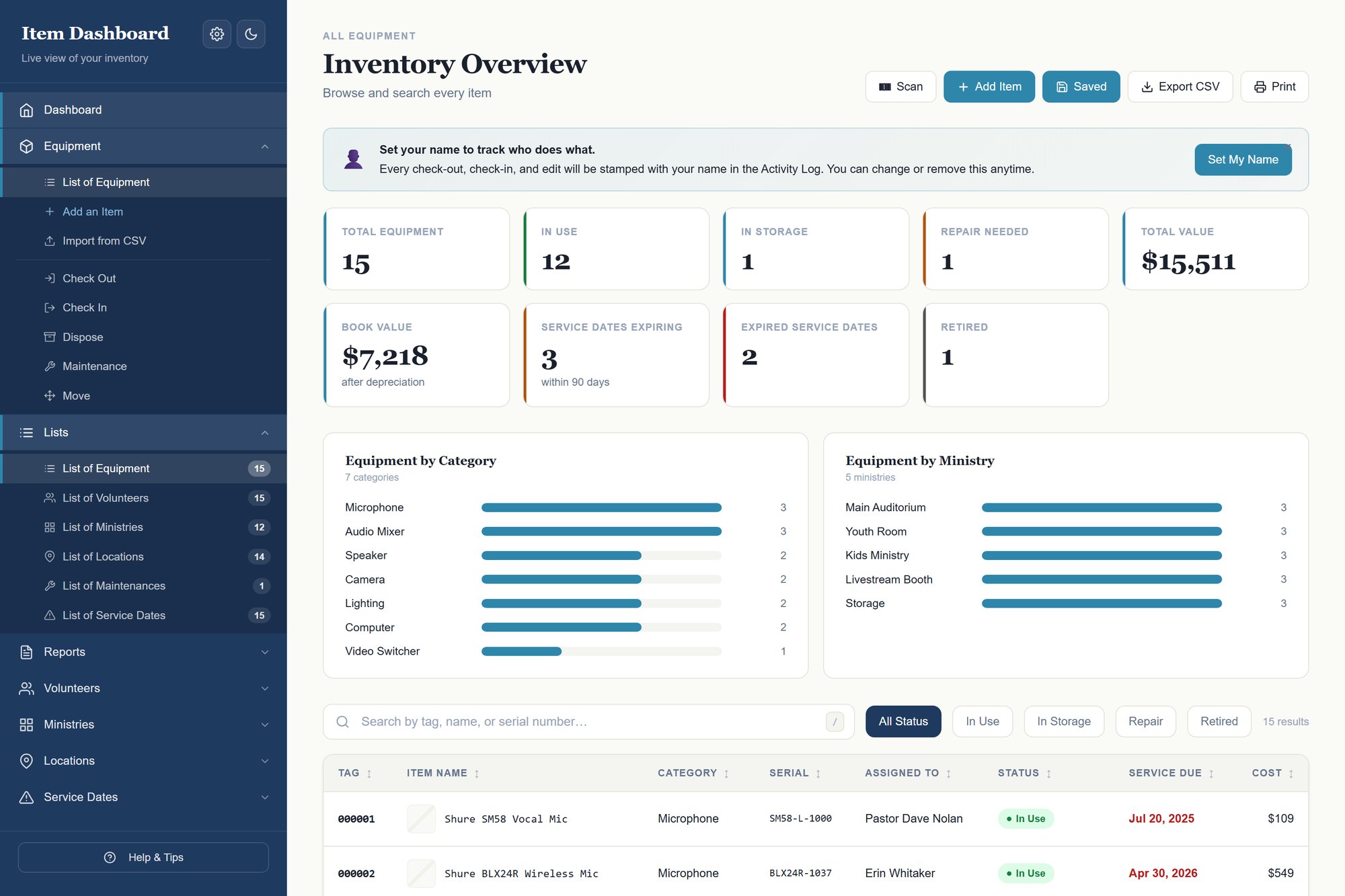
Sign equipment out, and know who has them
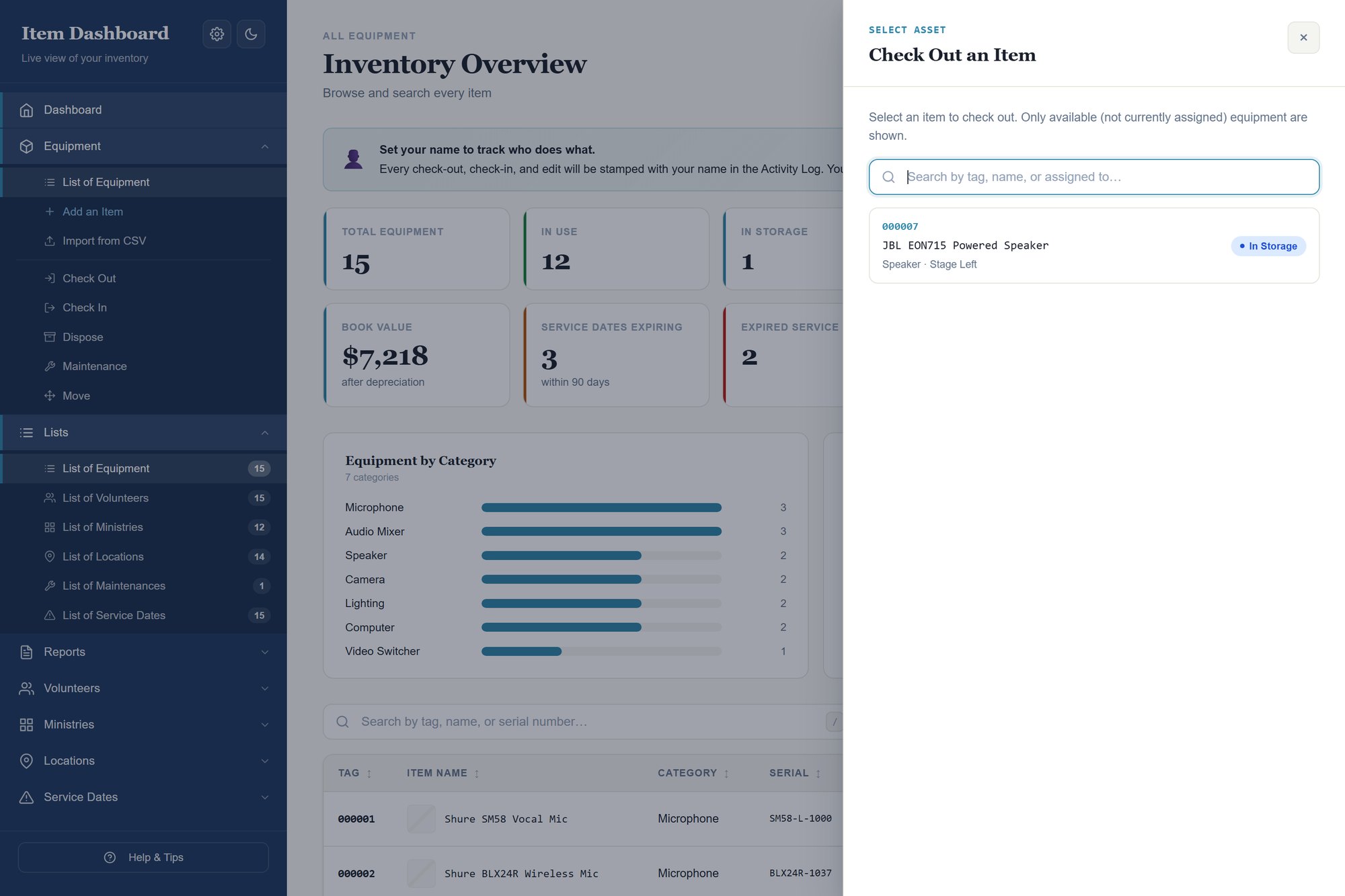
Assign an item to one of your volunteers, move it between ministries, send it for repair or retire it — every action stamped with a name and a date. When someone asks where it went, the activity log answers.
See what is due before it bites you
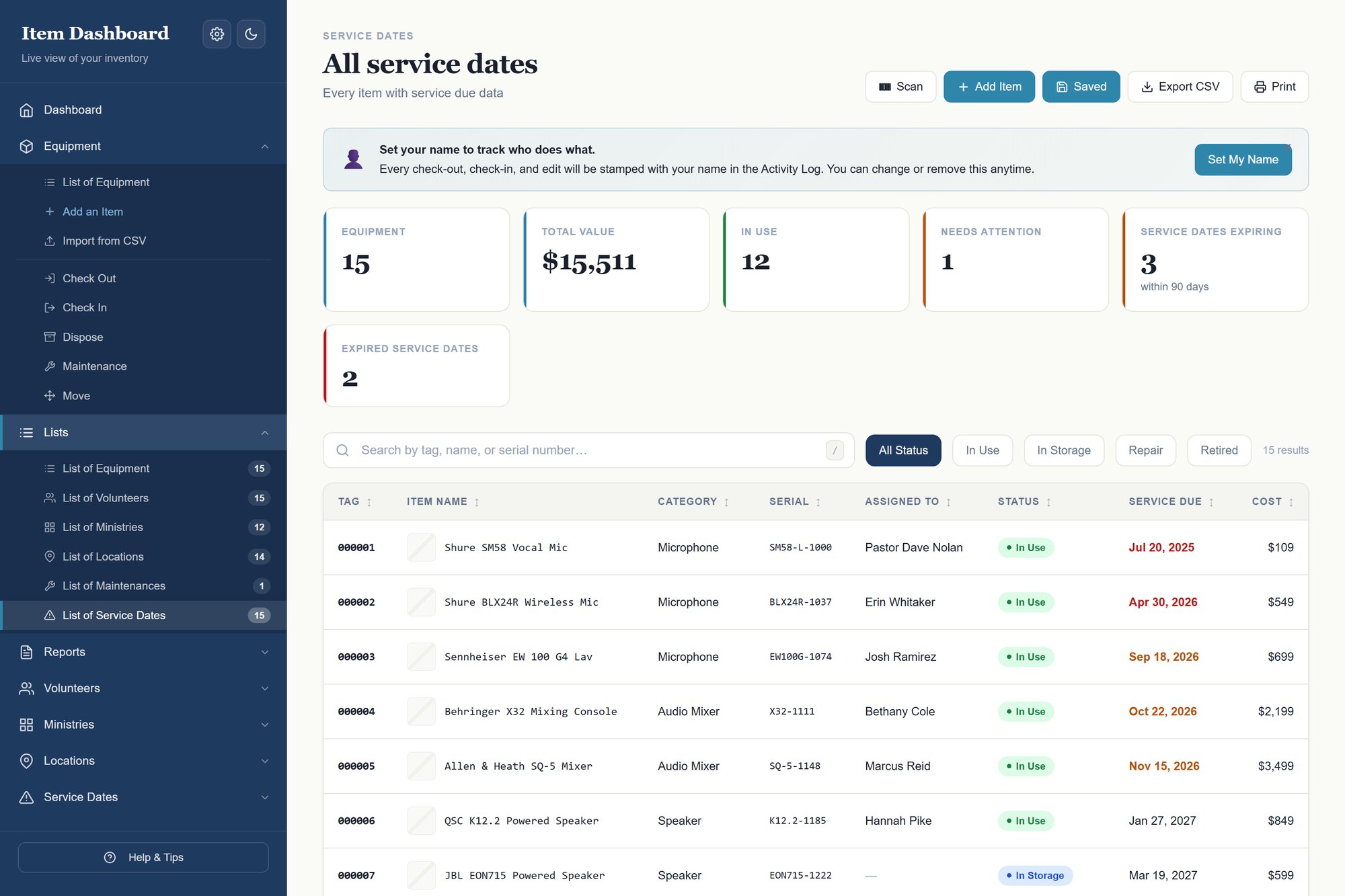
Service and warranty dates are tracked and bucketed — overdue, inside 30 days, 31–60, 61–90, or fine. The dashboard shows the count, and one click drills into exactly which equipment are affected.
What it is all worth, right now
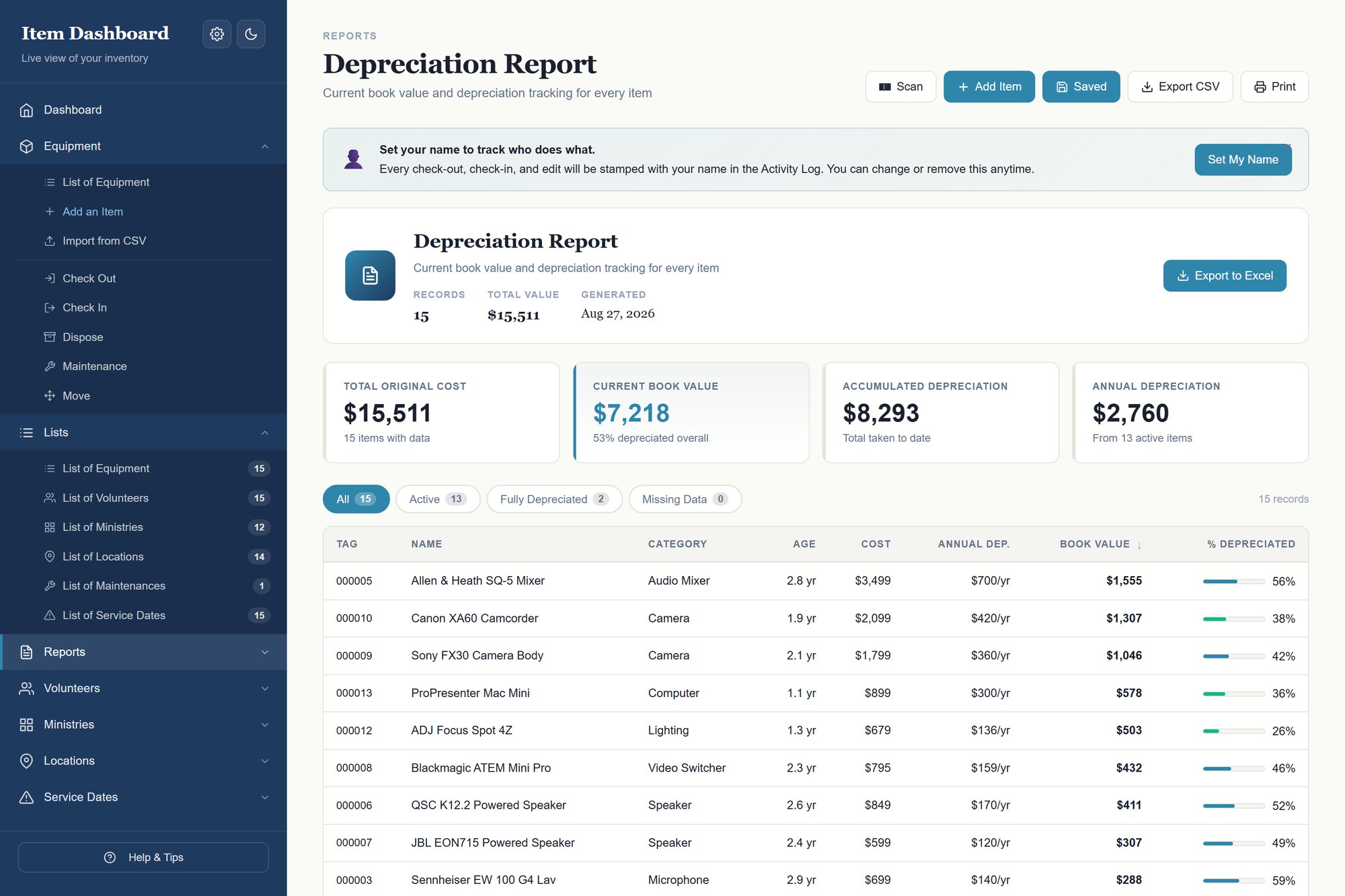
Straight-line depreciation per item on a 3, 5, 7 or 10 year schedule. Book value sits next to original cost, and the report totals accumulated and annual figures — the numbers an accountant or a board asks for.
Scan a barcode instead of typing a tag
Every item has a tag, and the dashboard reads them. A $25 USB scanner is the option that works everywhere — plug it in and it types the tag for you, on any machine. Camera scanning is a browser feature rather than ours, so it depends on the device: it works on an Android phone or tablet, but Chrome and Edge on Windows do not support it, and neither does Safari on an iPhone or iPad. Use the USB scanner there.
Print your own labels
The Labels button turns whatever is on screen into a printable sheet of barcode labels — name, barcode and tag, three across, on plain paper or peel-and-stick sheets. Filter first and you label just that subset. Nothing is uploaded to make them.
A due-back date, so you know who is late
Signing an item out can carry a date it is expected back. Anything past its date shows in its own Overdue filter with how many days late it is, and the date clears itself when the item is returned. Leave it empty for anything that is not on loan.
The small things you notice on day two
Press S anywhere to open the scanner and / to jump to search. There is a dark theme for a dim store room or a late night. The Save button tells you when something is unsaved rather than hoping you noticed, and if the browser closes on you your work is still there when you come back.
Bring your existing list in
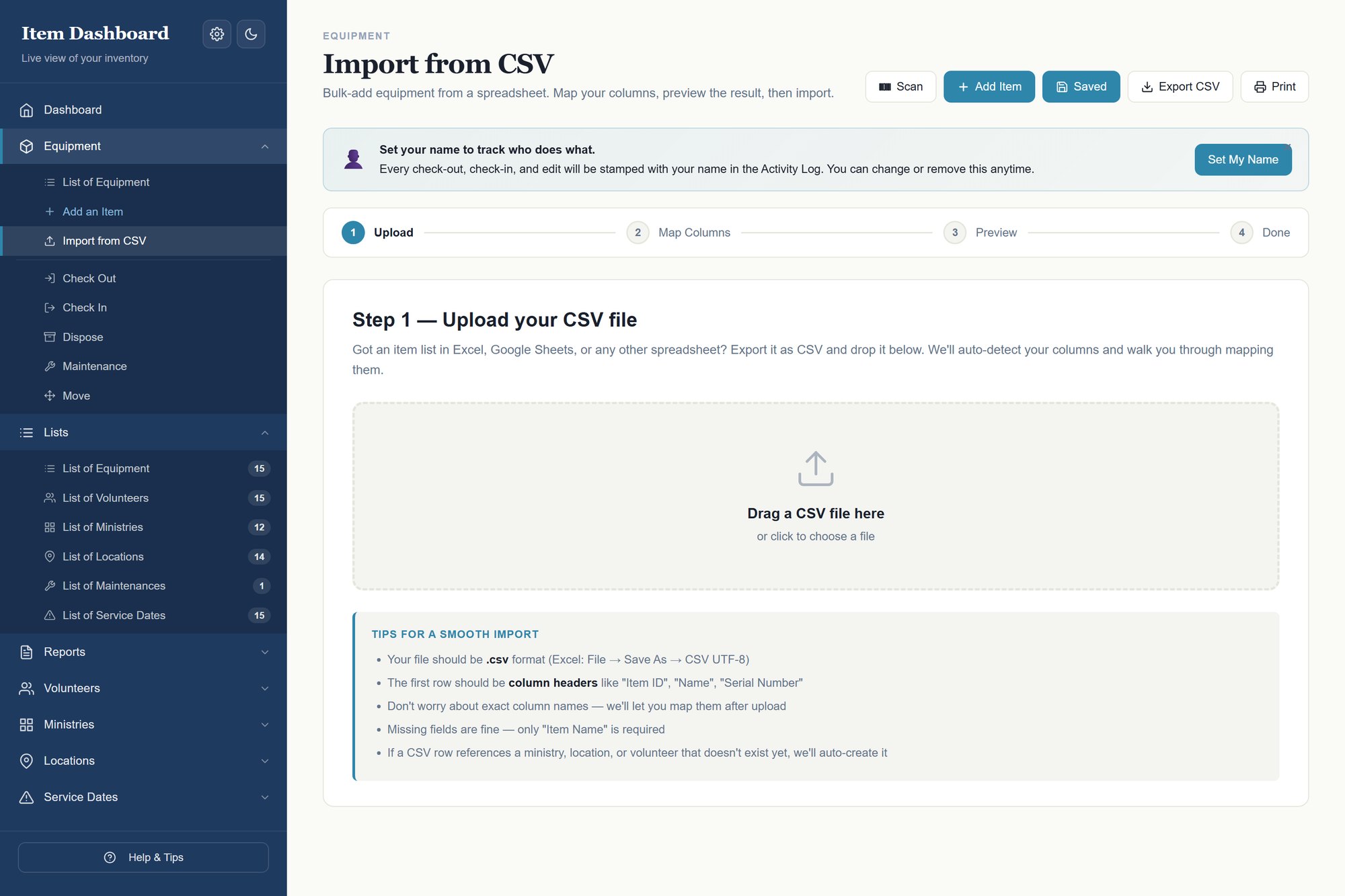
Already have a list somewhere? Export it to CSV and drop it in. Columns are auto-detected, conflicts resolve as skip, update or add-new, and unknown volunteers and ministries are created for you. Five-minute undo if you change your mind.
Built for churches, schools and small venues running volunteer teams
- Churches running a volunteer A/V or worship team
- Schools and youth programmes lending out gear
- Small venues and community centres
- Anyone whose wireless mic walked off after a Sunday service
One download, $149
A single payment. Every future update is free. It is the same engine as our IT asset tracker, with the labels and categories rewritten for churches, schools and small venues running volunteer teams.
Before you buy
Is there a monthly fee?
No. One payment of $149 and it is yours, including every future update. No renewal, no per-seat pricing, no price rise later. For comparison, the subscription tools that do this start at roughly $34 a month for a small team and are billed per seat — so the second year already costs more than ten times what this does, and it never stops.
Why not just use a free template?
Free item templates are a list of columns. They do not check equipment out to a person, do not warn you before a service date, do not calculate what anything is worth now, and have no record of who had what. That is the difference you are paying for.
Do I need Microsoft Excel?
Any spreadsheet program that opens .xlsx works — Excel, LibreOffice Calc, or Google Sheets. The dashboard itself needs only a browser.
Does it need an internet connection?
No. The dashboard makes zero external requests — everything it needs is inside the file. It works with the wifi off, and on restricted networks.
Where is my data stored?
In the .xlsx file on your own machine. Nothing is uploaded and there is no account.
Can more than one person use it?
Yes, with a caveat. Put the file on a shared drive and everyone can open it, but only one person should edit at a time. Each person sets their own name, so the log still shows who did what.
Is this a subscription?
No. One payment, updates free for life. The files keep working regardless, because nothing depends on a server we run.
How is this different from your IT tracker?
Same engine, different vocabulary. If you manage computers rather than equipment, buy that one instead — you do not need both.
A church equipment sign-out system that actually lasts
Why the clipboard by the sound desk always fails, what a rotating team of volunteers will actually use, and the point at which you should buy software instead.
The honest comparisons
Written to be useful whether or not you buy anything — each one says plainly what the other tool asks of you, and where it is the better answer.
Ask me before you buy
There is no support desk here — it is one person, and I answer my own email. If you are not certain this fits what you manage, say what you are tracking and I will tell you straight, including if the answer is that it does not fit.
Need it to track something this one does not?
Most people never need this — the Lists tab renames every dropdown and columns can be changed in place. But if your business needs fields the workbook does not have, we will rebuild it around your process rather than ask you to bend yours around ours. One payment, you own the file, and we will tell you plainly when you do not need it.
Look at it before you decide
The demo is the real dashboard with sample data loaded. Every screen works.